
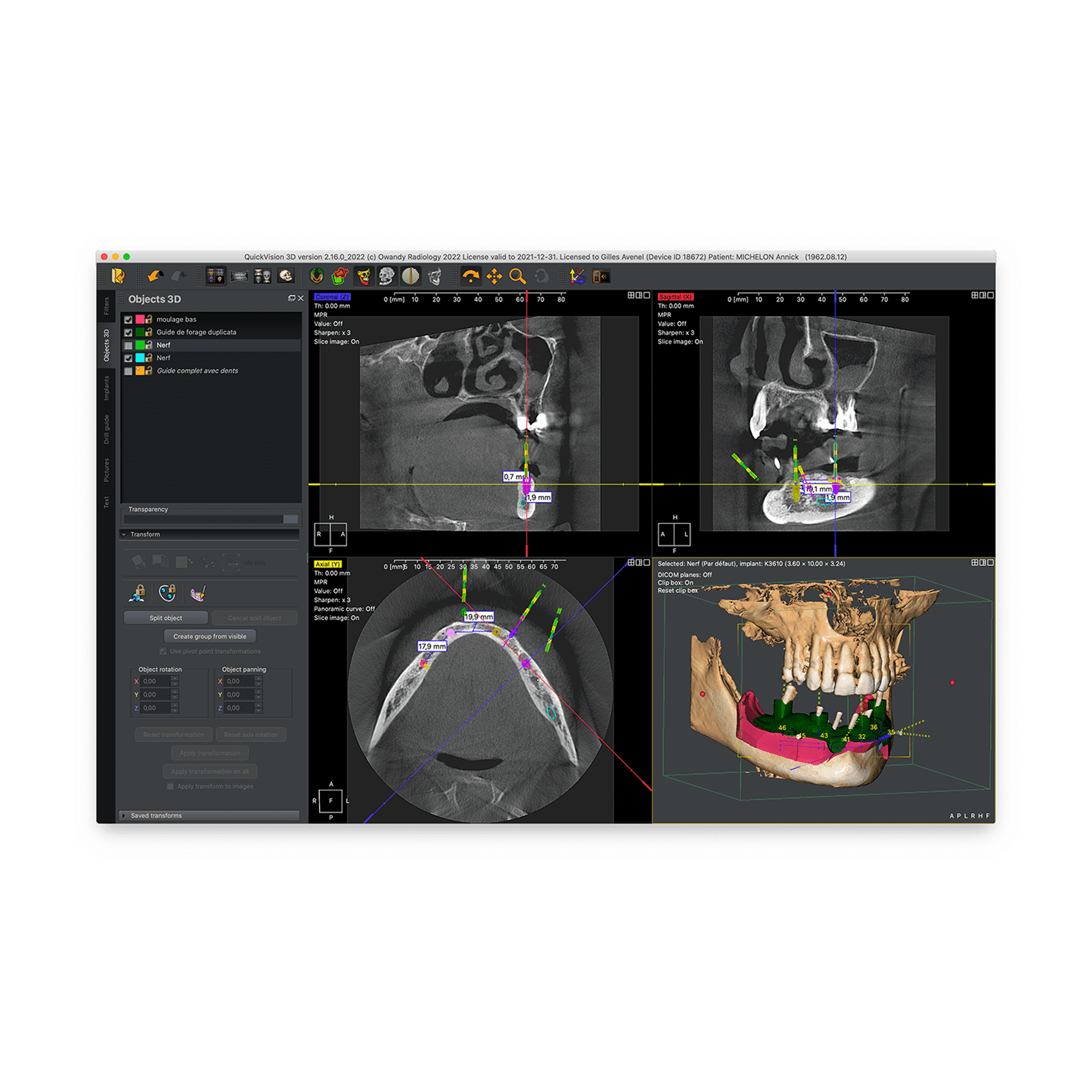
Quickvision 3D
Implant planning software
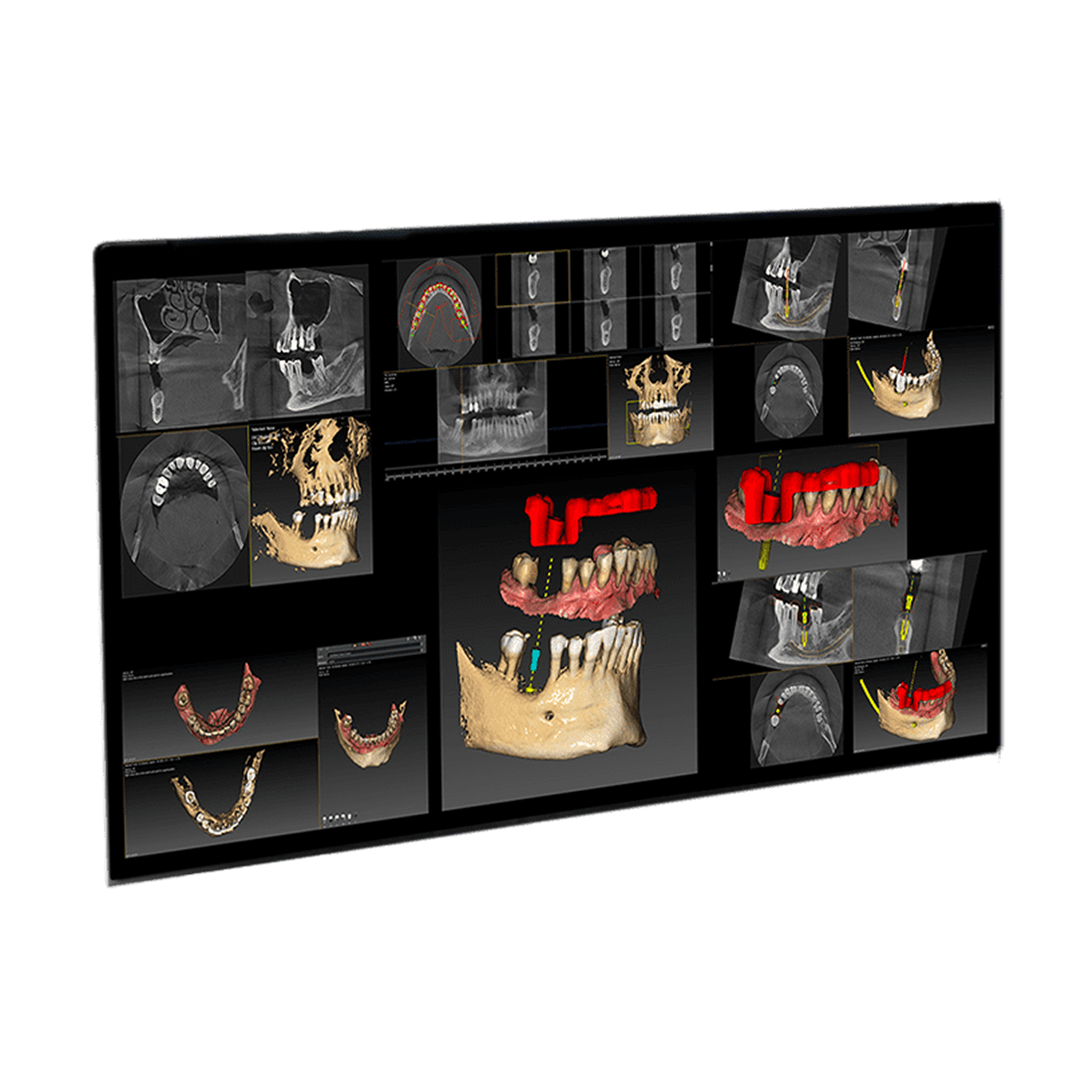
Owandy QuickVision 3D is advanced implant planning and diagnostic software designed to enhance treatment precision and clinical confidence. The platform enables detailed 3D visualization of anatomical structures, helping clinicians evaluate cases with greater accuracy.
Choose options
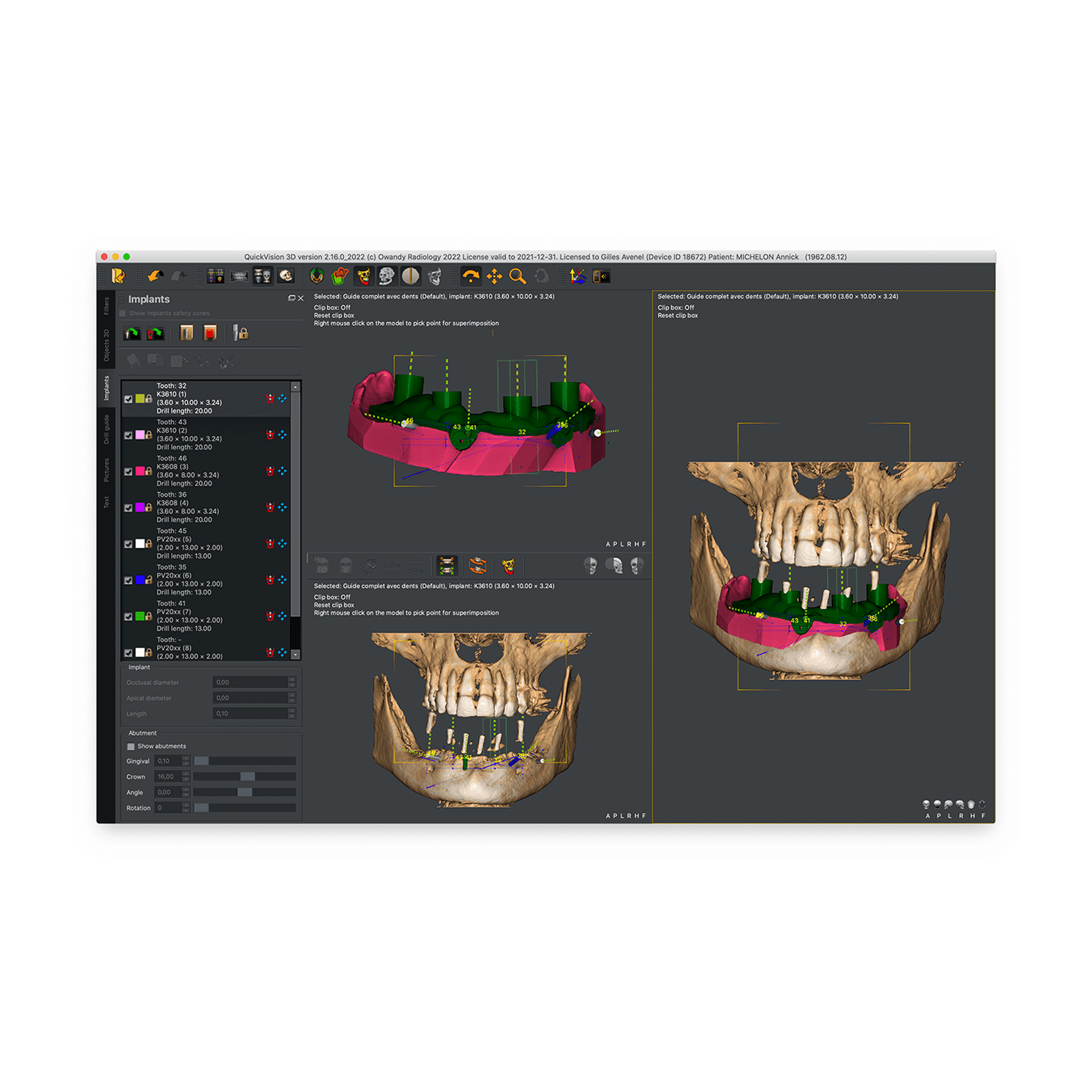
QuickVision 3D allows for simulating the placement of a dental implant on 2D and 3D models. To facilitate the surgical procedure, the patient's main anatomical characteristics are identified.
This includes the precise location of the implant, potential collisions, and various other clinical aspects.
The QuickVision 3D implant planning software will be your greatest ally in achieving a faster, safer, and more efficient prosthetic implant surgery.


4 Key Features For All Practices
QuickVision 3D comes with all the core modules, enabling you to successfully complete your prosthetic project.
Prepare your surgery without wasting time with an open software system, available on both Windows and macOS.
Place your implants, overlay your digital impressions, and create your own surgical guides.
1 – Dental panoramic ray and Cone beam CT
Prosthetic Project Planning
2 – Open dental systems
Waxup STL / DICOM
3 – Export your .stl for 3D print
Surgical Guides creation
4 – Calculate and visualize
Airway study
Plan your prosthetic project
Quickvision 3D is a digital tool, allowing the preparation of guided implant surgery, but also the visualization and study of cone beam files.
It will allow you to define the types of implants and their specifications by choosing from a large library or simply creating it.
You can also import 2D panoramic x-rays, digital optical impressions, scans of trays and other plaster casts.
Digital Wax-up
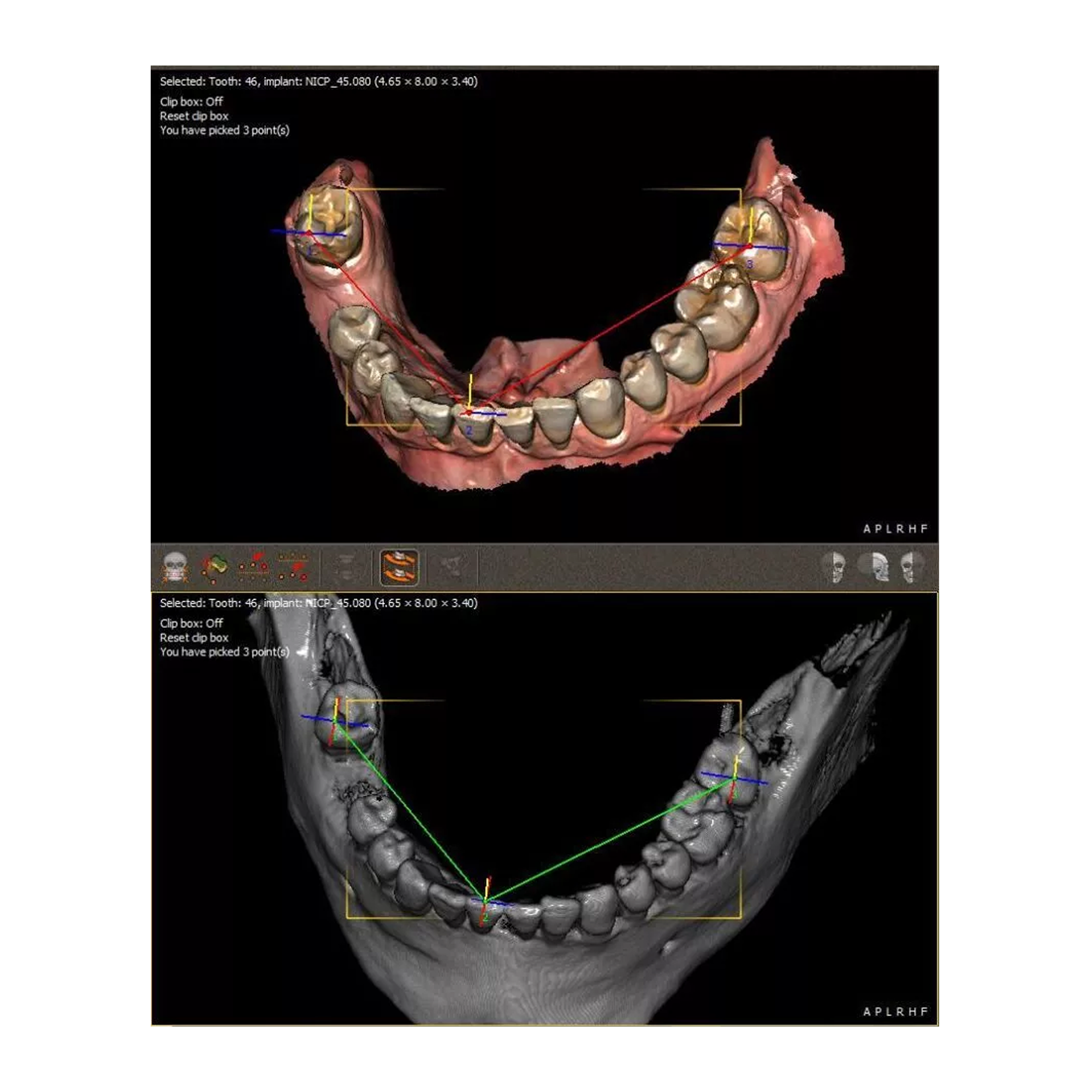
The software superimposes the two 3D objects. This alignment will facilitate and bring precision in the design of the surgical guide during the following steps thanks to the integration of the soft tissues on the model.

Quickvision 3D
Creation of surgical guides
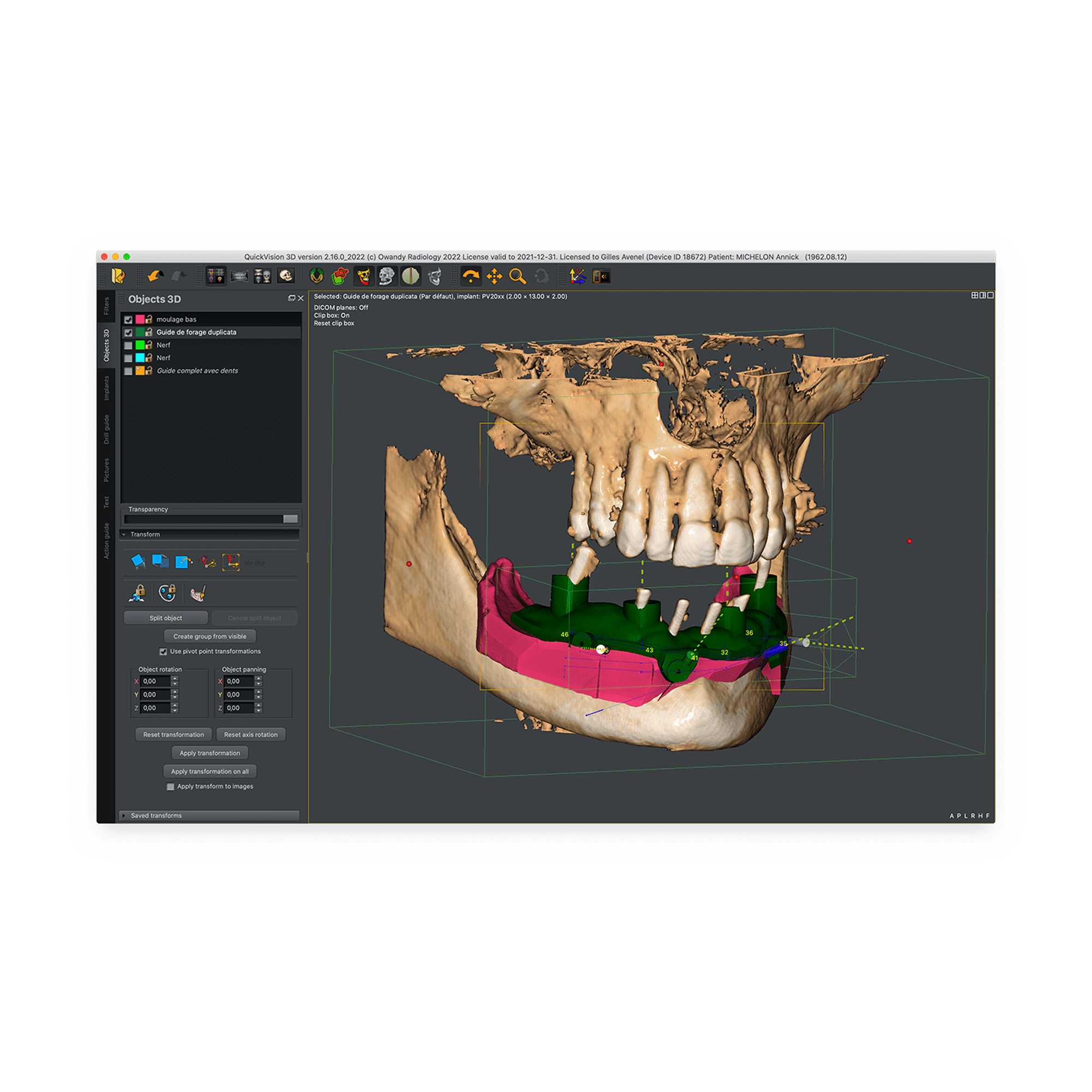
The primary purpose of this guide is to help the implantologist to preserve the anatomical structures of the jaws, but also to allow him to carry out immediate loading and aesthetics while being less invasive.
This innovative technique makes it possible to place dental implants using a digitally created guide and does not derogate from the basic rule of modern implantology where the prosthetic project controls the position of the implant and therefore the surgery.

Airway study
Owandy Radiology makes the study of the respiratory tract accessible from your QuickVision 3D software!

Quickvision 3D is DICOM compatible for better integration of your peripherals
- Operating system: Mac OS X 10.6 and above
- Processor: Core i5 3.0 GHz or more
- Memory: 4–8 GB
- Software hard drive space: 250 GB
- Data hard drive space: 2 TB
- Graphic card: 2 GB Graphic Card (GeForce / ATI / Intel)
- Network connection speed: 1 Gbit
- Backup system: CD-ROM, external hard drive, Internet
- Operating system: Windows 10 / 11 – 64 bits
- Processor: Core i5 3.0 GHz or more
- Memory: 16 GB
- Software hard drive space: 2 GB
- Data hard drive space: 2 TB
- Graphic card: 2 GB NVIDIA Graphic Card
- Network connection speed: 1 Gbit
- Backup system: CD-ROM, external hard drive, Internet
For a better grip
QuickVision 3D video
It only takes a few minutes to understand the software
Write custom Liquid code to include widget or dynamic code.
How to adjust the work plan
How to draw a panoramic curve
How to trace the mandibular canal
How to create and place an implant
How to make an STL / DICOM waxup
How to Create a Surgical Guide
Just a Few Minutes to Discover It All
QuickVision 3D documents
Learn how to use our software with the user manual.
The QuickVision 3D software is designed to assist with diagnosis in orthognathic surgery, the preparation of dental implant procedures, the 3D visualization of bone structures, and the planning and simulation of anatomical modifications during stomatognathic surgeries.


All Practice Solutions is a trusted provider of high-quality dental solutions. We specialize in CBCT scanners, dental microscopes, digital imaging solutions, dental chairs, X-ray generators, and more to meet the needs of modern dental practices. Additionally, we also provide expert dental SEO, website design, and digital marketing services. Learn more through our Privacy Policy, Refund Policy, Terms & Conditions, Terms of Service, Cookie Policy & Accessibility Statement for support and assistance. Contact us today for innovative solutions and expert services!
Powered by
 Sitemap © Copyright 2026 - All Rights Reserved
Privacy Policy |
Terms and Conditions
Sitemap © Copyright 2026 - All Rights Reserved
Privacy Policy |
Terms and Conditions
