

Description
High resolution CBCT scanner
Available in 4 fields of view (FOV):
Voxel 48 Micrometers
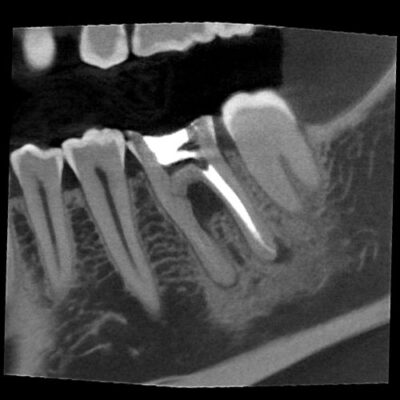
The Prexion Excelsior Endo “ENDO” mode is optimized for diagnosing areas that require very high-resolution
images. The 0.2 focal spot combined with the 48-micron voxel allows extraordinary images and an accurate diagnosis.
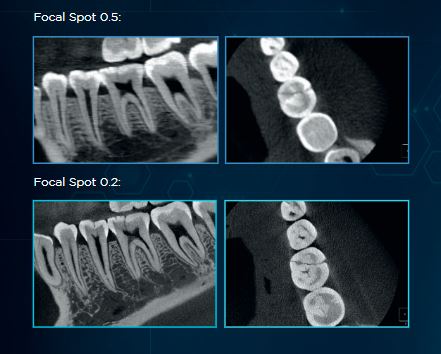
Why invest in a CT scanner with a 0.2 mm focal spot?
Choosing a smaller focal spot results in less geometric blurring, meaning a sharper more detailed image. Images taken with a 0.2 mm focal spot have higher resolution compared to images taken with conventional machines.
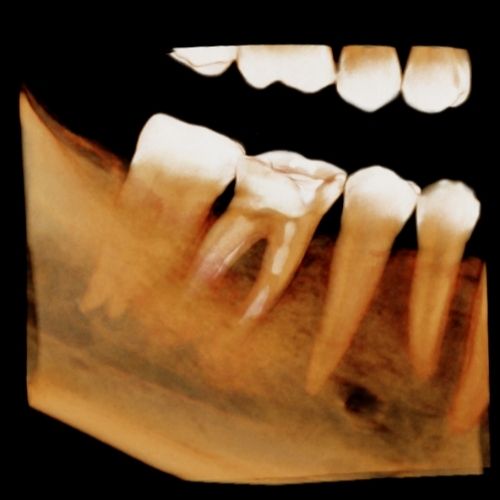
Clinical Images
High Resolution CT Scanner - Excelsior Endo
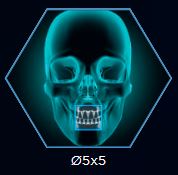
FOV Ø 5x5
Ø5x5 – ENDO
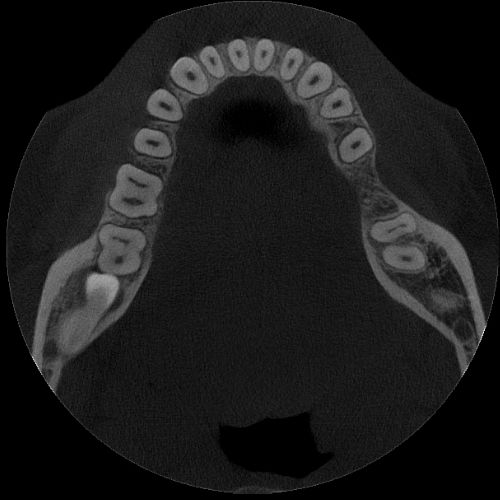
Small FOV optimized for local diagnosis, such as single implant planning, third molar extraction, and endodontic procedures, with a resolution of 48μm for the Excelsior Endo. It keeps patient exposure dose at a significantly low level.
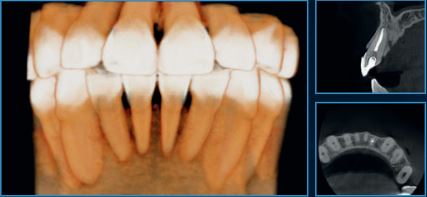
FOV Ø 9x6
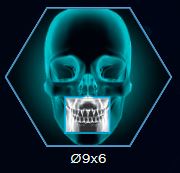
Ø9x6 – MAXILLA OR MANDIBLE
Allows visualization of one arch (maxilla or mandible) or TMJ (left or right condyle separately).
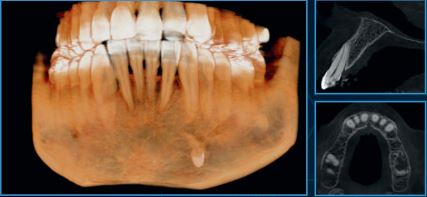
FOV Ø 9x9
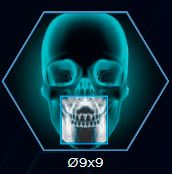
Ø9x9 - FULL ARCH
Covers the entire arch, including the mandible, maxilla, and ramus.
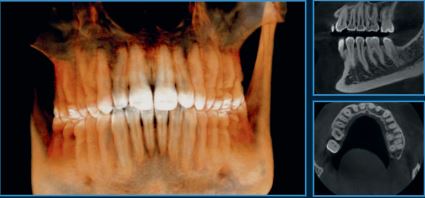
FOV 14x9
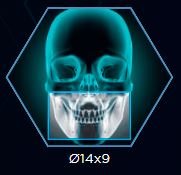
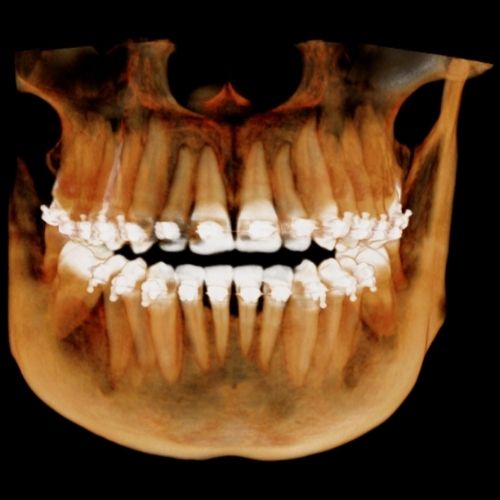
Ø14x9 – EXTENDED FULL ARCH
Comprises the third molar and zygomatic arch regions in a single volume.
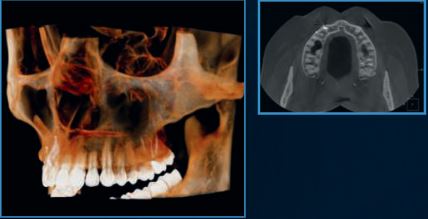
3D ALGORITHMS
RESPONSIBLE FOR OPTIMIZING YOUR CARE FLOW AND DIAGNOSTIC ACCURACY
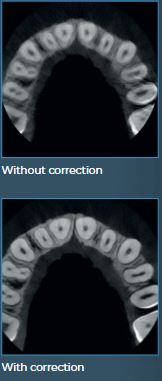
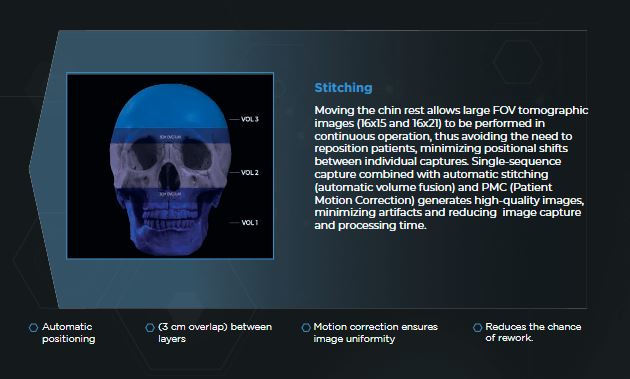
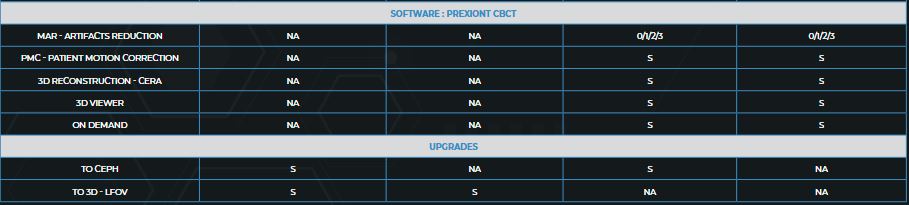
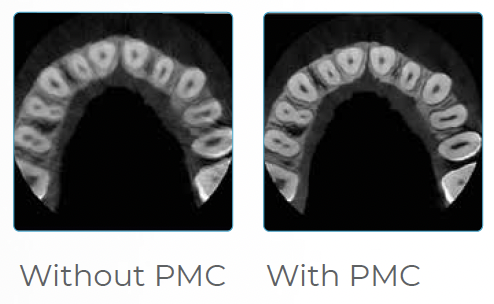
Patient Motion Correction (PMC)
During exams, it is common for the patient to make micro-movements, which can compromise the final exam result.
Prexion’s algorithm automatically corrects the image, ensuring a high-quality exam, avoiding repetitions, and offering greater accuracy for diagnostics.
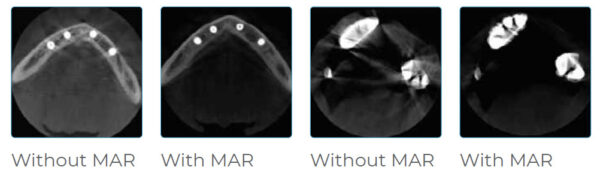
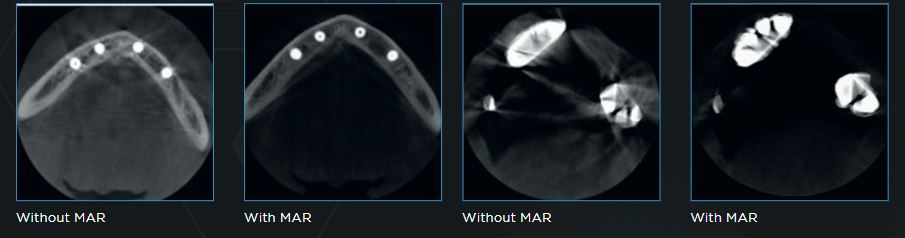
METAL ARTIFACT REDUCTION (MAR)
Prexion offers options with processing levels that can be chosen to correct deformations of gutta-percha, implants and/or wide prostheses, and metal restorations, in addition to automatic metal reduction. This feature also allows image reprocessing for better diagnosis without the need to re-expose the patient.
2D ALGORITHMS
INTELLIGENCE APPLIED TO PANORAMIC EXAMS GENERATING AMAZING IMAGES.
Contrast Algorithm
An innovative algorithm that acts on all regions of the image, treating and improving the contrast of each area individually. The result is a homogeneous, noise-free image, allowing the visualization of details and, consequently, better diagnosis.
Focus Algorithm
The Prexion software features an innovative function that delivers a final image with greater detail and definition, especially in the incisor and canine regions, TMJ, and root canals.
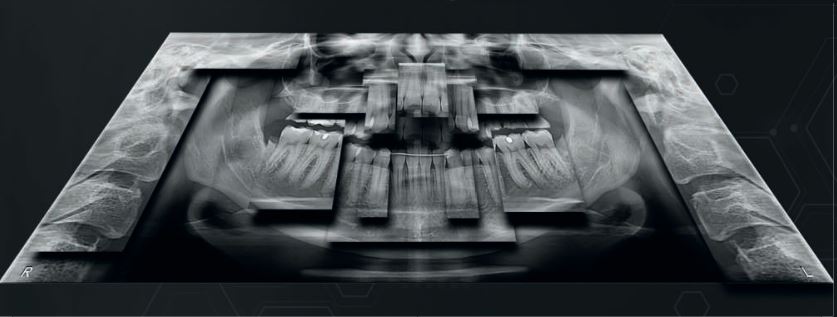
The combination of algorithms allows for the reconstruction of an optimized panoramic image.
This technology allows us to bring the best diagnostic quality to the most challenging cases
VERSATILITY AND INNOVATION:
THE FOCUS OF THE PREXION LINE
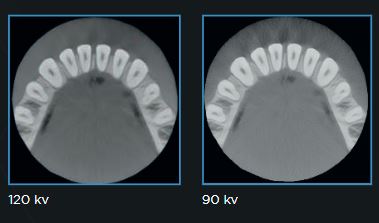
120KV Tube Voltage
The Prexion Line offers a tube voltage of 120kV. Operation at 120 kV combined with special radiation filters produces beams with higher average energy, reducing lower-energy photons, which provides two benefits:
1 – Fewer image artifacts, resulting from reduced beam hardening on the patient.
2 – Reduced production of low-energy beams, providing an image with better definition.
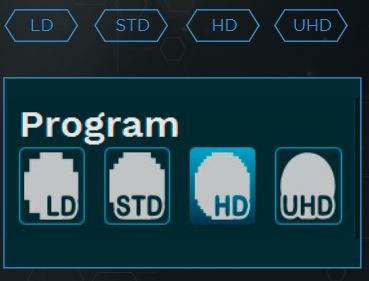
CHOOSE THE IDEAL PROGRAM FOR YOUR NEEDS
Choose the ideal resolution for each exam, adjusting the exposure time and voxel size according to the exam’s objective. Control the exposure to obtain an image with higher resolution or lower exposure.
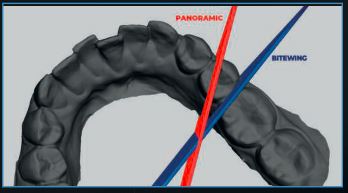
3 Axes
The state-of-the-art movement system includes three axes (two orthogonal directions and one rotation), which allows greater flexibility in creating radiographic profiles, optimization of the slice plane thickness, and constant vertical magnification.
ONDEMAND
Convert to STL
Convert DICOM data to STL data using Ondemand 3D for use in CAD/CAM software and 3D printing.
A usability-focused software that examines performance gains in report generation and assists professionals with the “fewer clicks as possible” premise, facilitating patient flow.
Dental Imaging Software – Eagle Eye: Anvisa 10101130091
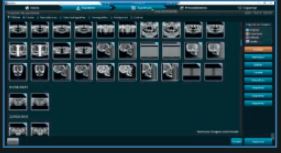
REGISTRATIONS
Simple and intuitive, it can be used to register users (with different permission levels), dentists, and patients.
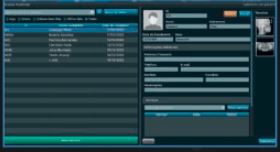
SEARCHES
Focus on usability. Can be applied to user, dentist, and patient searches.
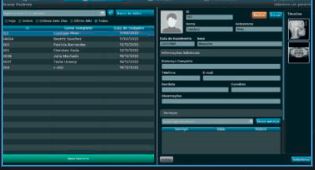
CAPTURE AND EDITING
Capture and edit 2D images and 3D capture. All in the same software.
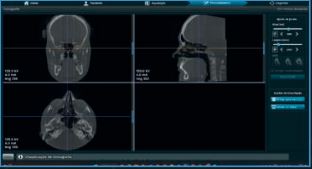
EXPORT
Export of DICOM images and files in formats compatible with all systems.
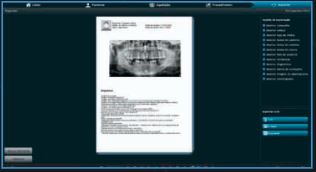
PANORAMIC REPORTS
Ability to create panoramic reports directly in the acquisition software. Speed and convenience.
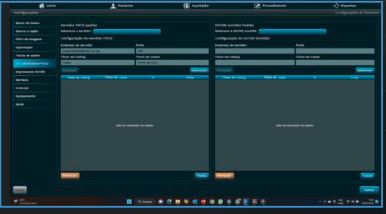
Connection
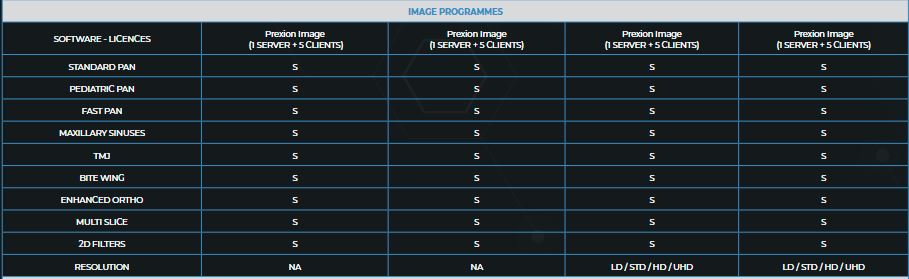
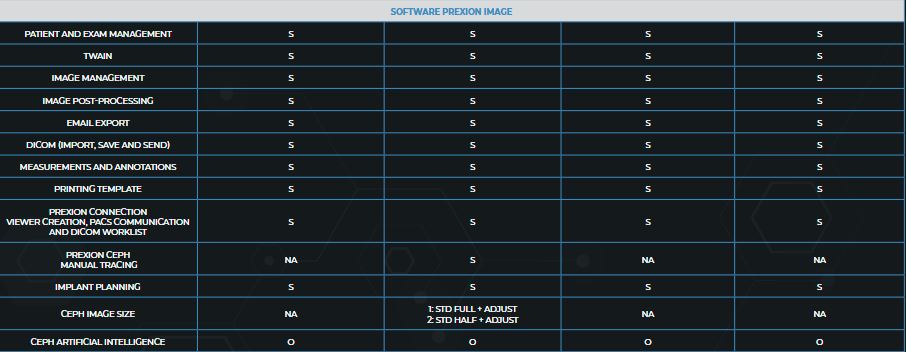
The Dicom Worklist, communication via PACS, and acquisition via TWAIN driver tools allow instant sending of images generated by the equipment to the main image management
and sharing programs.
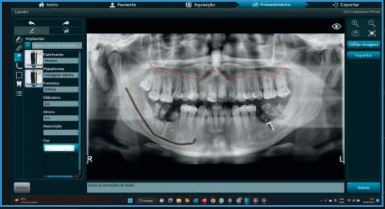
Implant Planning
Implant Planning is a tool that allows you to perform implant simulation directly on your PC.
It is possible to simulate the position of implants in two-dimensional and three-dimensional images, identify the mandibular canal, and take the measurements.
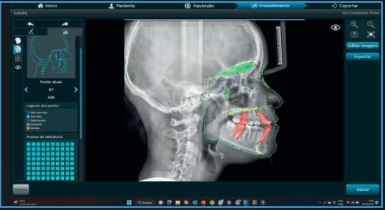
Manual Ceph
A tool that allows you to perform cephalometry, which is the teleradiography report, manually.
Protocols (MCNAMARA, USP, Ricketts, Steiner, Rocabado, Tweed, among others).
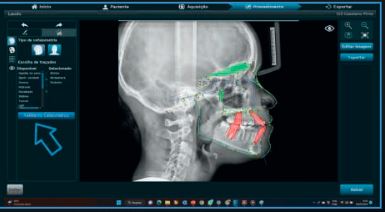
Ceph IA*
By applying scientifically recognized protocols, Artificial Intelligence accelerates productivity in complex analyses and adds efficiency to your business.
ONDEMAND 3D PLANNING SOFTWARE
OnDemand3D APP
The Prexion lines can optionally be accompanied by the OnDemand3D App software, the most widely used worldwide due to its user-friendly interface, resource availability, processing speed, and security.
Report
OnDemand3D makes reporting easier and simpler for professionals, offering multiple templates for different purposes. Create your own report template with the X-Report Template Designer, which can be stored either in the database or on the computer in HTML, PPT, or PDF format.
Viewer Generation
The OnDemand3D software allows the creation of a viewer so you can share exams with your clients and patients who do not have a specific program for viewing DICOM files.
This viewer includes all the diagnostic tools of the licensed version, such as implant positioning, measurements, and panoramic sections.
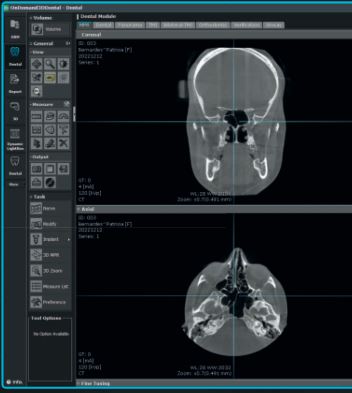
STL Conversion
Convert DICOM data into STL files using OnDemand3Dô for use in CAD/CAM software and 3D printers.
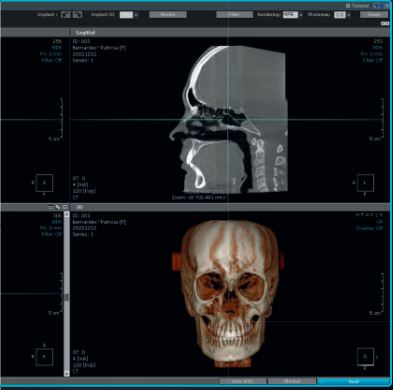
Implant Planning
Implant surgery is one of the most complex and sophisticated areas. Through OnDemand3D, it is possible to thoroughly analyze the patient’s oral cavity, position the implant in the correct location, and perform a virtual operation.
COMPUTER REQUIREMENTS
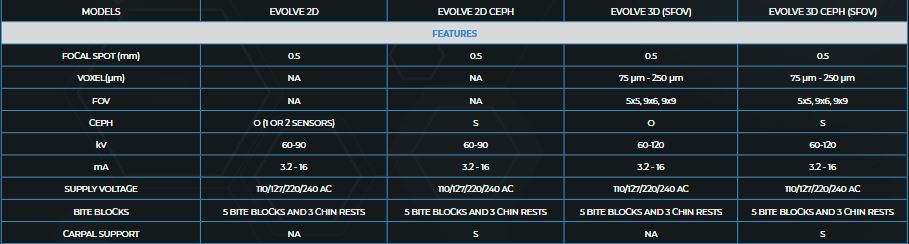
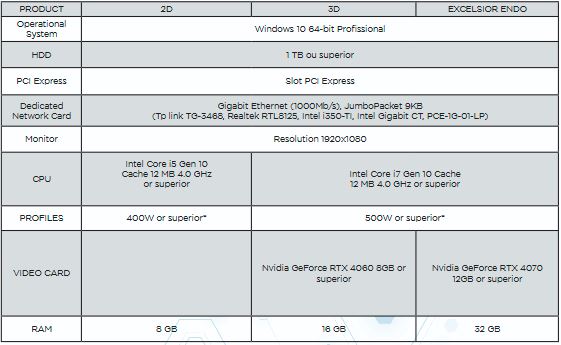
For full performance, we recommend that your computer meet the minimum requirements shown in the table below for connecting to Prexion products.
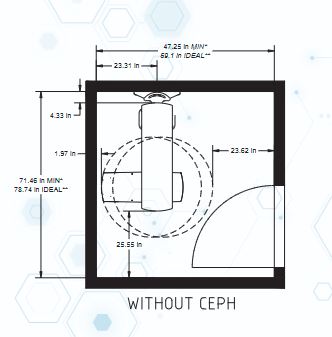
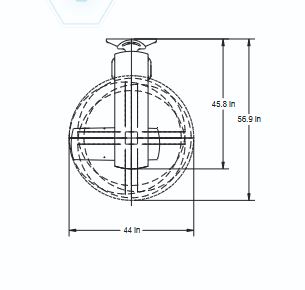
RECOMMENDED ROOM SIZE
Prexion Excelsior and Evolve Line
See What Others Can’t with the PreXion Excelsior Endo
Our flagship high resolution tomograph delivers cutting-edge image quality that allows you to visualize structures and nuances beyound traditional CBTC standards. Investing in the Excelsior Endo means offering your patients supeior diagnostics and setting your clinic apart as a leader in dental imaging.
Why choose the PreXion Excelsior Endo?
The powerful system components of the PreXion Excelsior Endo enable an extraordinary combination of the most precise 3D imaging, large image detail, lowest radiation exposure, reliable diagnostics and digital planning for all indications in modern dentistry, including periodontology, endodontics, implantology, orthodontics, maxillofacial surgery and more. Its patient management system is designed for secure and networked communication of patient data across multiple rooms within a practice and can be integrated into the existing infrastructure with ease.
Software Features
With the precision and professional competence of PreXion, dental professionals have a powerful partner at their side.
Multi-data
Load multiple patient scans on a single screen. Synchronize pre- and post-operative scans and detect differences, slice-by-slice.
Patient Education and Presentation
Quickly capture 3D animated video clips for patient education, case acceptance and lecture presentations. Increase case acceptance through better patient understanding.
Collaborative Tools
Automatically save 3D image reports to MS Word template and attach to patient’s practice management record. Collaborate with referring dentists by burning a patient disc with sample viewer. Capture and email images quickly.
Remote Access
Work on cases from home or a satellite office without long connectivity delays. Lead virtual online treatment planning meetings remotely with PreXion3D.
Implant Library
Use our extensive library or customize your own.
Save Scenes
Save your case workup as a scene or create multiple saved scenes with a single scan.

3D Templates
Save time with over 20 pre-made 3D volume rendering templates or customize your own.
Slab and Cutting
Slab Feature allows the clinician to see inside structures while rotating the 3D image. Cut away structures to see exactly what is pertinent to your study.

16 YEARS OF EXPERIENCE

CLEAREST IMAGES

CLINICAL ADVISORY BOARD

DISTRIBUTING PARTNERS

CUSTOMER SUPPORT
Field of View
5x5cm
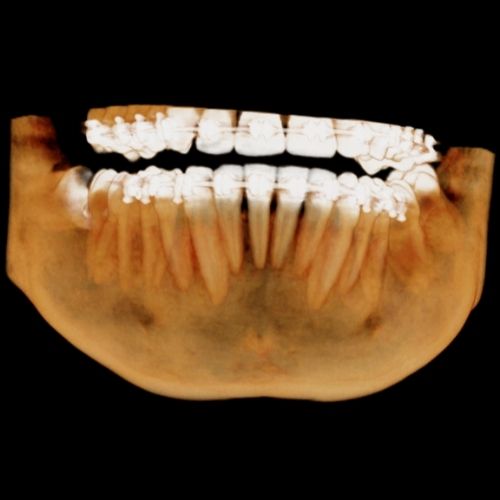
9x6cm
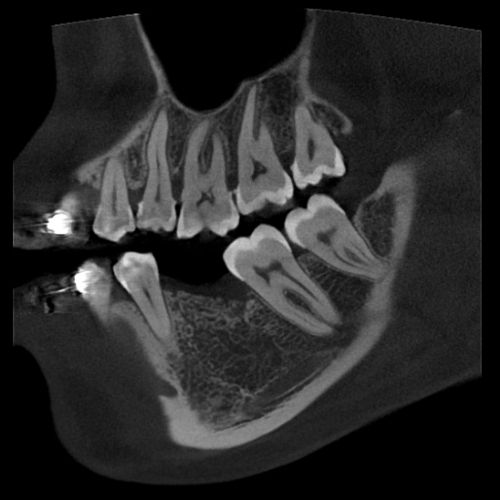
9x9cm
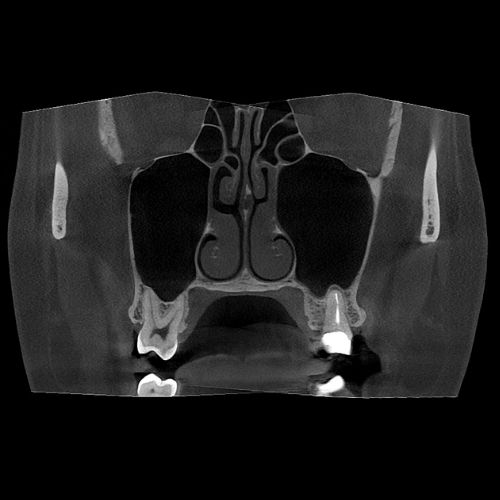
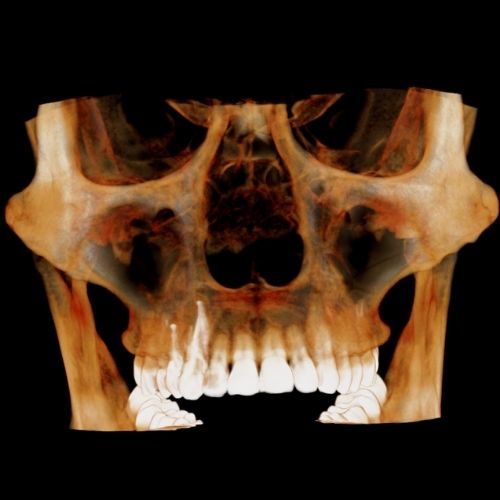
14x9cm
3D Algorithms: Enhancing Your Work-Flow Efficiency and Diagnostic Accuracy
UHD Mode for Endodontics
PreXion Evolve has a resolution with isotropic Voxel of 75µm to 400µm.
Patient Motion Correction (PMC)
The PreXion Evolve algorithm automatically corrects the image imperfections caused by patient micro-movements. This ensures high exam quality, avoiding repetitions and offering greater accuracy for making diagnoses.
Metal Artefact Reduction (MAR)
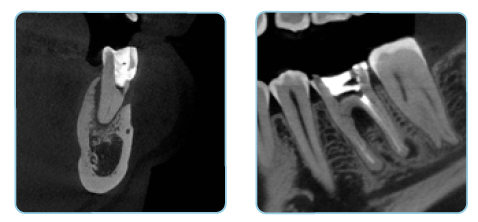
The PreXion Evolve line features three processing levels that can be chosen to correct gutta-percha deformities, implants and/or full arch prosthesis and metal restorations, in addition to automatic metal reduction. This tool also allows image reprocessing, for a better diagnosis, preventing the need to generate new exposure to the patient.